QD OLED Care



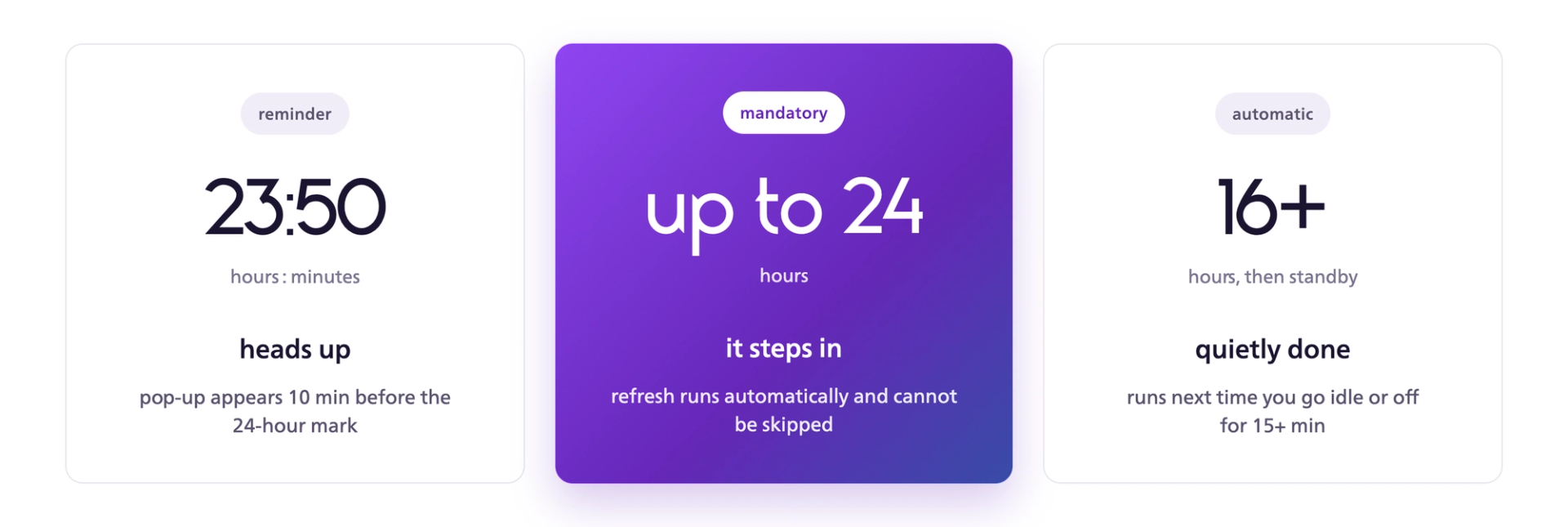
*Check your model's Special Care document for the exact figures.
Appears 10 minutes before 24 hours of cumulative use without a Pixel RefreshA notification appears on the middle-right of your monitor. If a Pixel Refresh runs before the 24-hour mark, the countdown resets.
Triggers at 24 hours of cumulative use, or earlier if the monitor reaches 16 hours of cumulative use and then goes into standby or is turned off for more than 15 minutesPixel Refresh runs automatically once either condition is met. If it completes successfully, the cumulative usage counter resets. Pixel Refresh cannot run while the monitor is fully powered off from the wall (AC off).
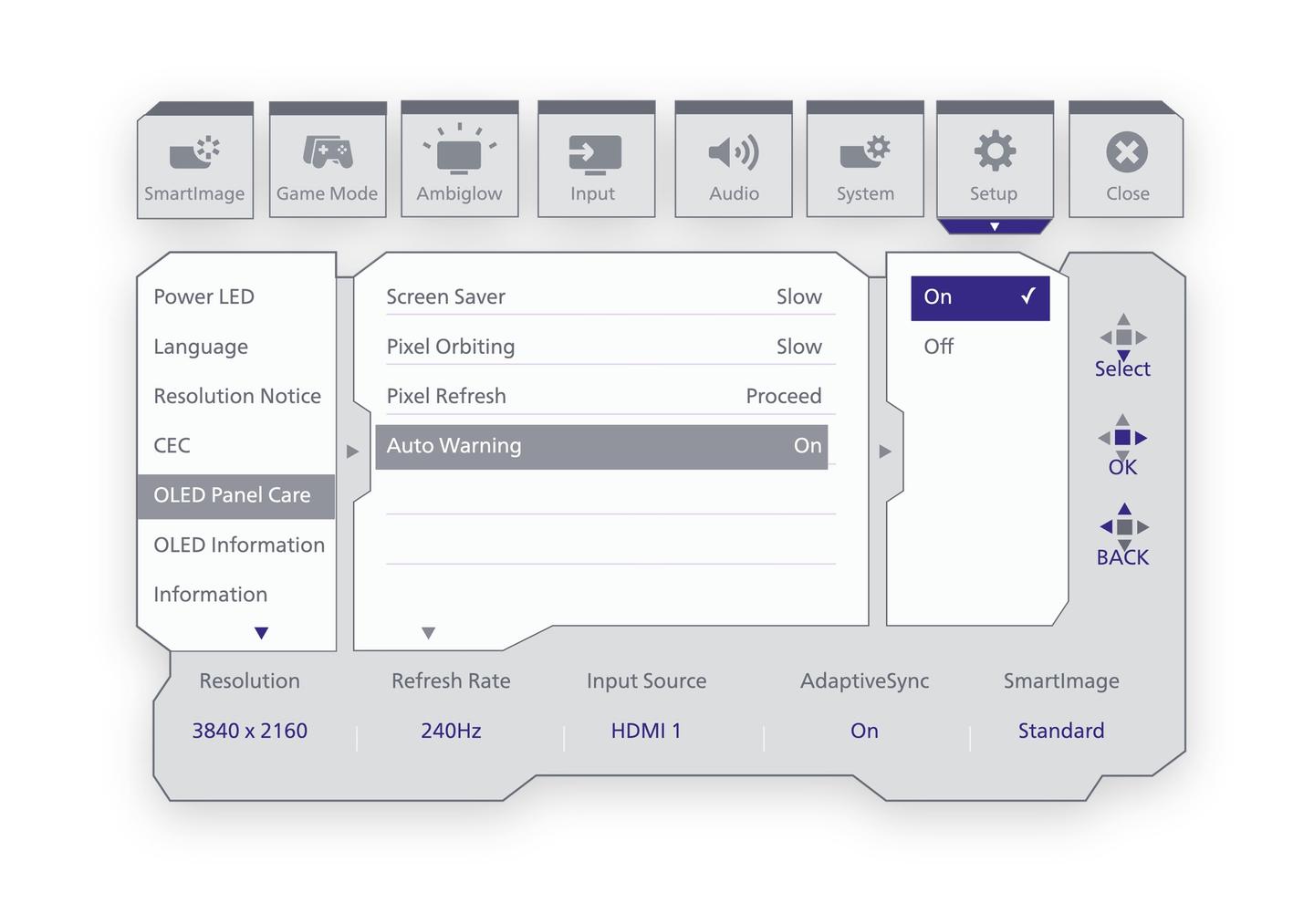
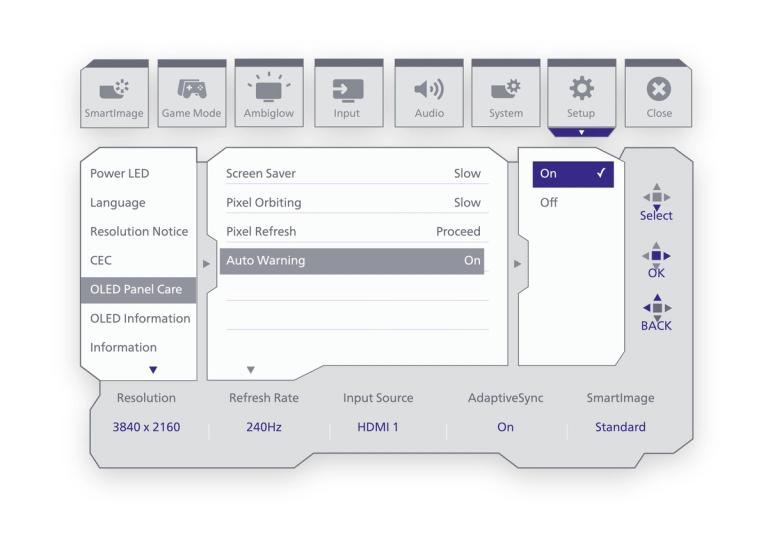
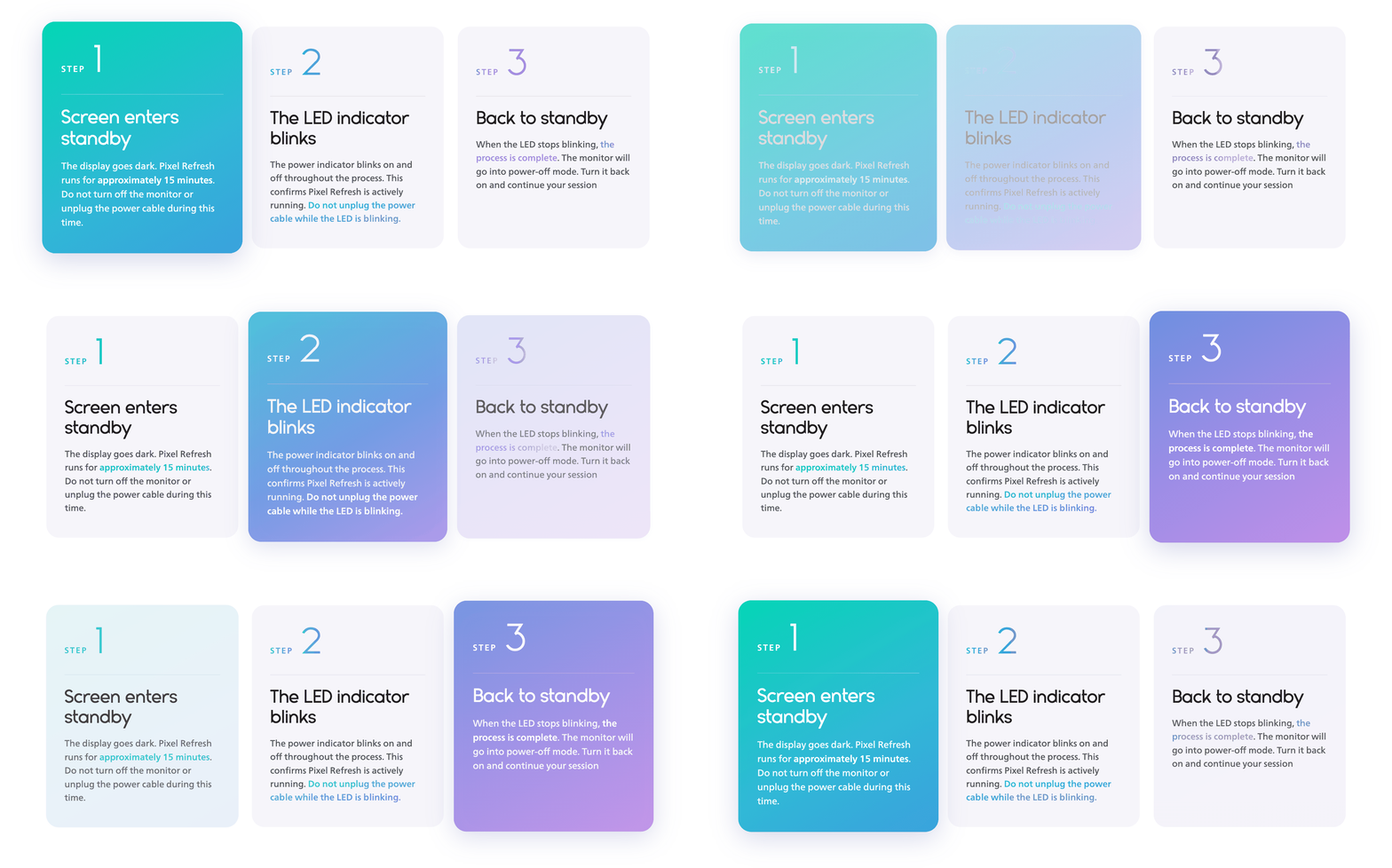
Pixel Refresh runs automatically when required and can also start in standby or when the monitor is turned off. You can also start it manually through the OSD menu before an extended session.
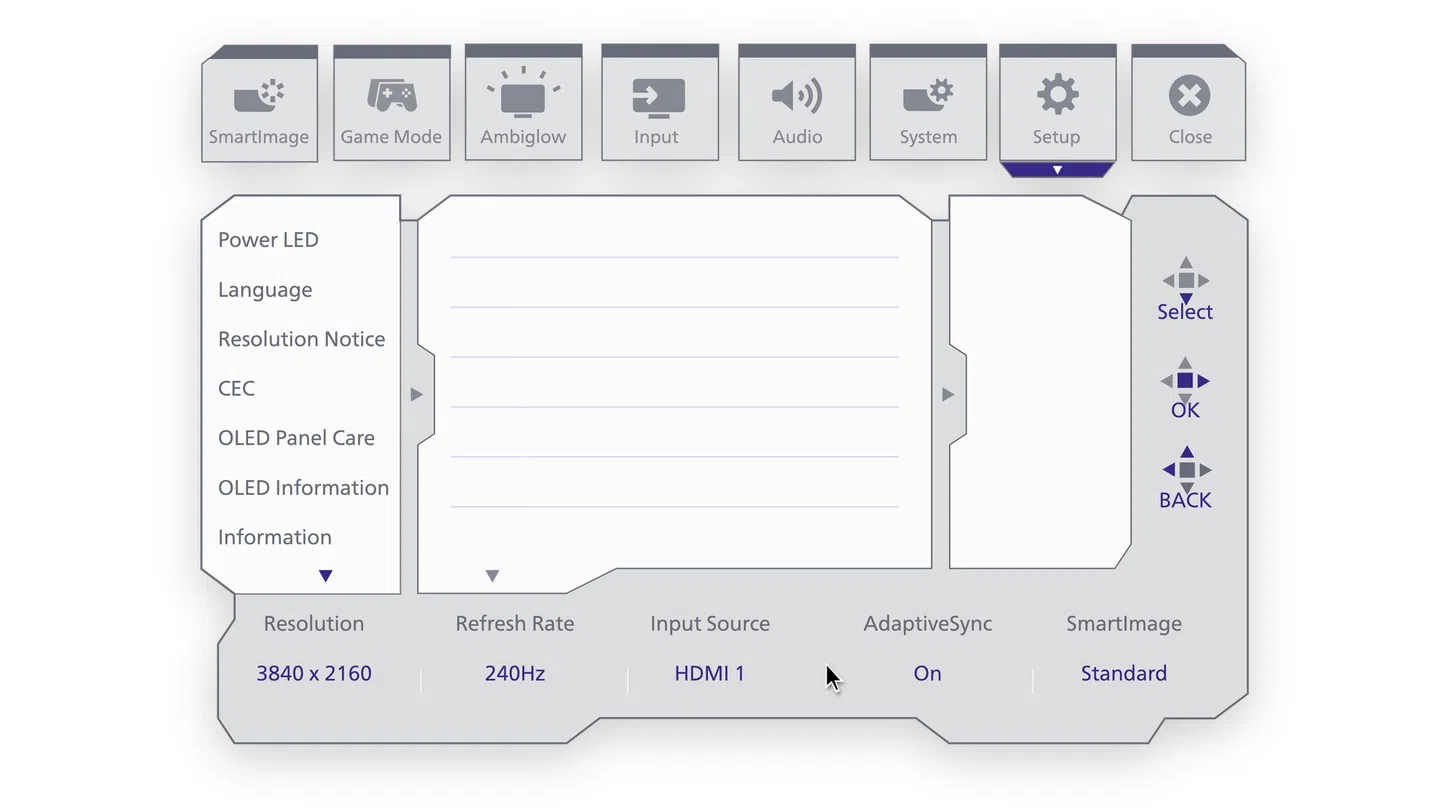
Pixel Refresh takes care of the periodic reset. Depending on your model, additional passive protection features may run continuously in the background, targeting the most common causes of QD OLED burn-in.


Early reminders can be dismissed, but Pixel Refresh still runs automatically when required. The exact usage threshold depends on your model. Pixel Refresh is part of the monitor's QD OLED care process and helps support long-term panel health.
Countdown messages appear before the automatic refresh begins, giving you time to save your progress or finish what you are doing. The refresh itself takes about 15 minutes, and you can power the monitor back on once it is complete.
A blinking LED means Pixel Refresh is running. Do not unplug the power cable while the LED is blinking. When the blinking stops, the refresh is complete.
Some QD OLED protection features may gently adjust brightness to help protect the panel, especially during static images, high-contrast areas, or increased panel temperature. Under normal conditions, this should not affect everyday viewing in a noticeable way.
Pixel Refresh, Multi-Logo Protection, Boundary Dimmer, Taskbar Dimmer, and Thermal Protection are designed to help reduce the risk of image retention and burn-in. Keep them enabled for everyday use.